
ASUS PRIME X670-P Guide: Installation, BIOS & Optimization
The ASUS PRIME X670-P is a solid AM5 motherboard that balances features and cost. Whether you’re building with a Ryzen 7000 or 9000 series CPU, this board delivers PCIe 5.0, DDR5 support, and reliable VRM cooling. Here’s what you need to know to install, configure, and optimize your system.
Key Features of the ASUS PRIME X670-P
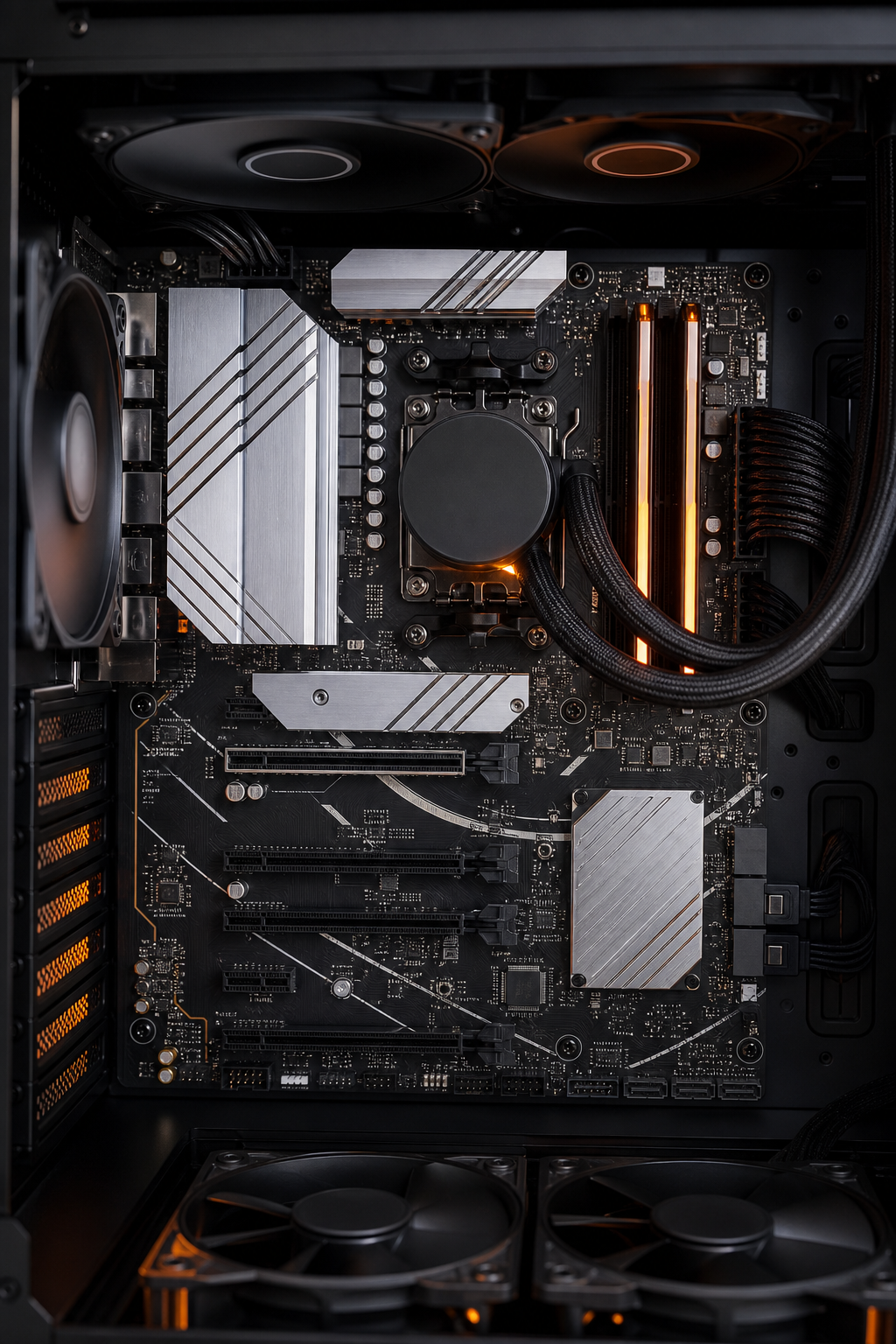
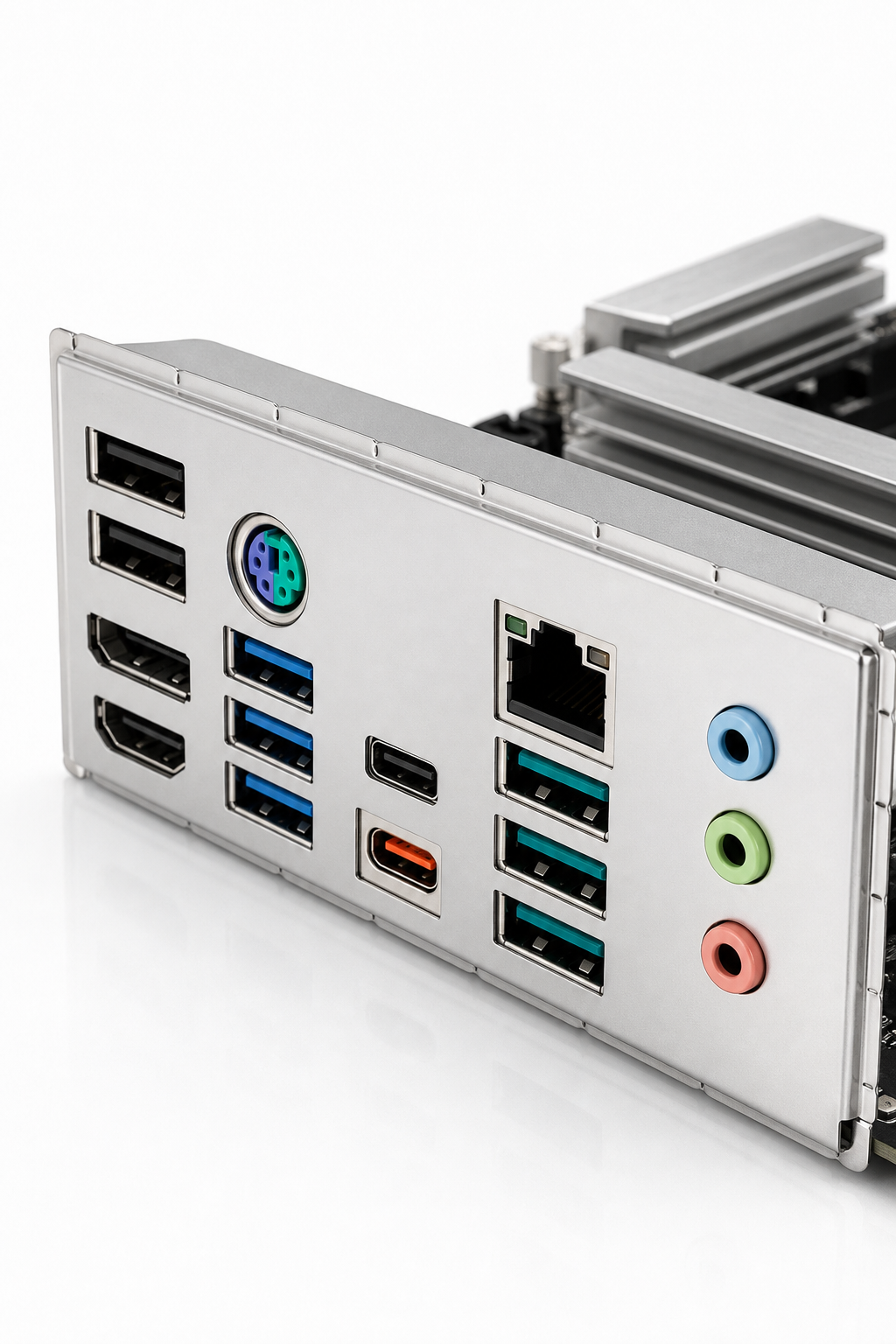
The PRIME X670-P uses a 12+2+1 power stage design with enlarged VRM heatsinks. That means it can handle high-end CPUs like the Ryzen 9 without throttling. It supports DDR5 memory up to 7600+ MHz (overclocked) and has three M.2 slots , one of them PCIe 5.0 for fast NVMe drives. The rear I/O includes USB 3.2 Gen 2×2 Type-C, 2.5Gb Ethernet, and HDMI/DisplayPort outputs. For specs, check the official ASUS techspec page.
Step-by-Step Installation Guide
Start by installing the CPU: lift the socket lever, align the triangle marker, and lower the lever. Then install RAM in the second and fourth slots (A2 and B2) for dual-channel. For M.2 drives, remove the heatsink, insert the drive at an angle, and secure it with the Q-Latch. Connect the 24-pin and 8+4 pin power cables. Finally, mount the GPU in the top PCIe slot. for detailed steps.
BIOS Configuration and Optimization
Press Delete during boot to enter BIOS. For memory, enable EXPO (AMD’s overclocking profile) under Ai Tweaker > Ai Overclock Tuner. Set it to EXPO I for stability. For fan control, use Fan Xpert in BIOS or the AI Suite software. Enable DOCP if your RAM uses XMP. To update the BIOS, use EZ Flash 3 from the Tool menu. For more on memory tuning, to EXPO/XMP setup.
Building a Balanced System with the PRIME X670-P
The board works with Ryzen 7000, 8000, and 9000 series CPUs. For gaming, a Ryzen 7 7800X3D is a great match. Pair it with DDR5-6000 CL30 memory for optimal performance , this is the sweet spot for Ryzen. Use the QVL list to check compatible RAM modules. You can find the QVL at ASUS’s support site. For storage, a PCIe 5.0 NVMe drive in the first M.2 slot gives the fastest speeds. The PRIME X670-P WIFI version adds built-in Wi-Fi 6E and Bluetooth, available at 99deals.in.
Common Issues and Troubleshooting
If the board won’t post, check the Q-LEDs: a red light means CPU issue, yellow is RAM, white is VGA, and yellow-green is boot. For RAM, try a single stick in slot A2. If the BIOS needs recovery, use the BIOS FlashBack button with a USB drive. Some users have reported network detection issues after BIOS updates; reverting to an older version or a CMOS clear often fixes it. See this forum discussion for a real example. For a full Q-CODE list, visit ASUS’s troubleshooting FAQ.
FAQ
Does the ASUS PRIME X670-P support PCIe 5.0?
Yes. The first M.2 slot and the primary PCIe x16 slot support PCIe 5.0, but only with Ryzen 7000/9000 series CPUs. With Ryzen 8000 series, the M.2 slot drops to PCIe 4.0.
How do I update the BIOS on this motherboard?
Use the BIOS FlashBack feature: download the latest BIOS to a FAT32 USB drive, rename it to PRIME-X670-P.CAP, plug it into the designated USB port, and press the FlashBack button. The LED will blink and stop when done.
What memory speeds are supported?
The board supports DDR5 up to 7600+ MHz when overclocked. For stability, DDR5-6000 is recommended. Check the QVL on ASUS’s website for tested kits.
Does the PRIME X670-P have built-in Wi-Fi?
The standard model does not. But the PRIME X670-P WIFI version includes Wi-Fi 6E and Bluetooth 5.3. That’s the version we recommend, available at 99deals.in.
How many M.2 slots are there?
Three. One PCIe 5.0 (top), one PCIe 4.0 (bottom), and one PCIe 4.0 from the chipset. All support 2280 drives; the second slot also fits 22110.
Conclusion
The ASUS PRIME X670-P is a reliable foundation for a modern AM5 build. It gives you the key features, PCIe 5.0, DDR5, and solid power delivery, without extra cost. For the best deal on the WIFI version, head to 99deals.in and grab yours today.